



- What “workflow” means in a trading platform
- MT4: familiar, simple and widely recognized
- MT5: a more developed workflow for broader use
- cTrader: modern layout and streamlined execution
- Comparing the platforms by everyday tasks
- Desktop, web and mobile experience
- How to choose based on your working style
- A simple decision framework
- Conclusion
- What “workflow” means in a trading platform
- MT4: familiar, simple and widely recognized
- MT5: a more developed workflow for broader use
- cTrader: modern layout and streamlined execution
- Comparing the platforms by everyday tasks
- Desktop, web and mobile experience
- How to choose based on your working style
- A simple decision framework
- Conclusion
MT4, MT5 and cTrader: How to Choose a Trading Platform
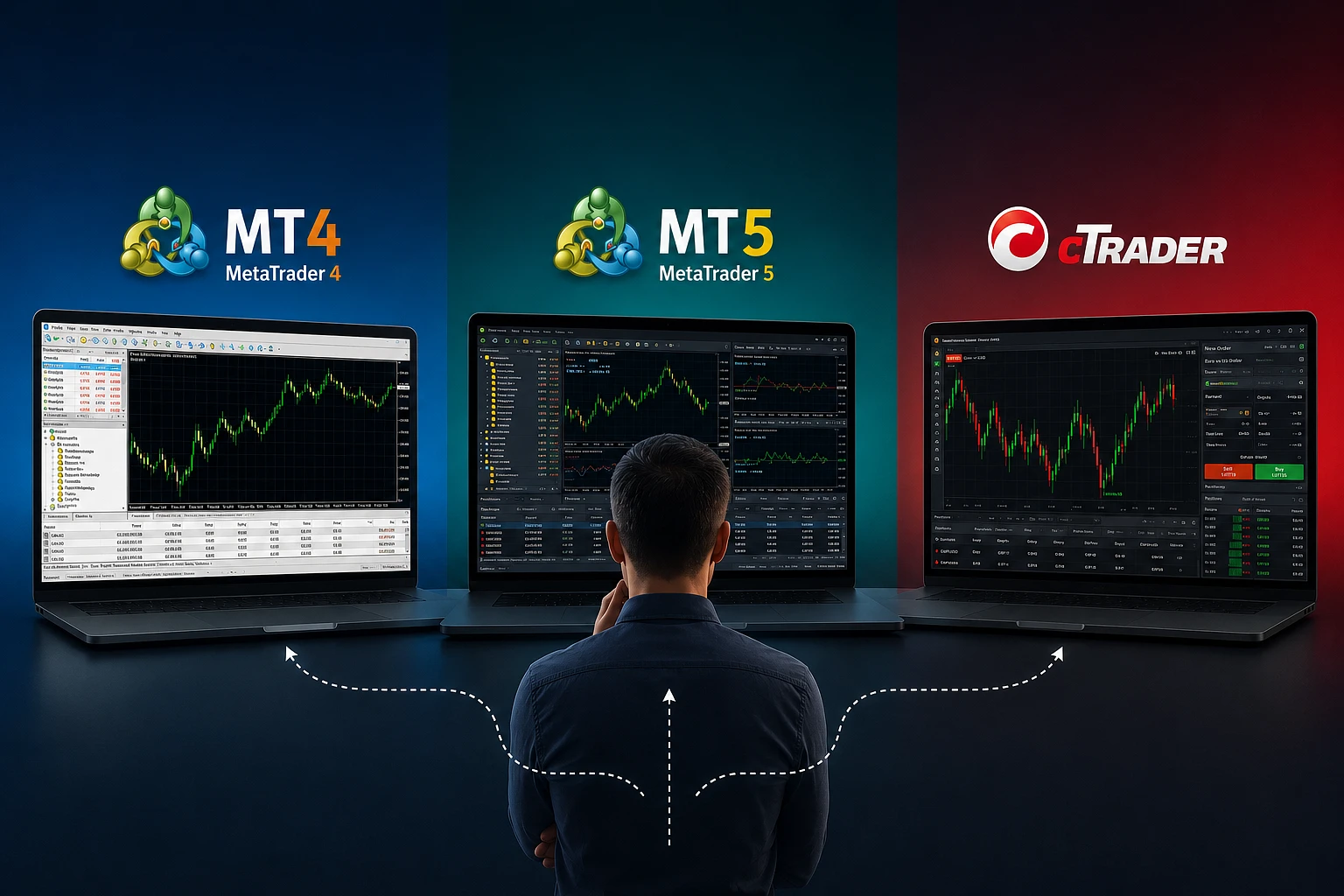


Choosing a trading platform is often less about features on a specification sheet and more about how the platform fits a daily workflow. A trader may care about chart layout, order placement, watchlists, history, automation tools, mobile access, or how quickly common tasks can be completed. In that sense, MetaTrader 4, MetaTrader 5 and cTrader are not just different pieces of software; they represent different ways of organizing a trading routine.
This article compares MT4, MT5 and cTrader from the perspective of workflow and usability. The goal is not to name a universal winner. Instead, it is to help readers understand how these platforms differ in day-to-day use so they can choose a setup that matches their habits, experience level and trading style.
Because trading involves risk, platform choice should be considered alongside account conditions, market access, costs, device compatibility and personal comfort with the interface. No platform removes market risk, and no interface can make trading predictable.
What “workflow” means in a trading platform
When traders talk about workflow, they usually mean how smoothly the platform supports a sequence of routine tasks. These tasks may include:
- finding an instrument
- opening and closing a position
- setting stop loss and take profit levels
- reviewing charts and indicators
- managing multiple timeframes
- monitoring open trades and history
- using alerts, templates or automated tools
Usability is closely related, but not identical. Usability describes how intuitive and efficient the platform feels. A usable platform reduces friction, minimizes unnecessary clicks and makes core actions easy to learn. A strong workflow platform is one that allows a trader to move from analysis to execution without confusion.
MT4, MT5 and cTrader all serve the same broad purpose, yet they differ in layout logic, built-in tools and the way traders interact with charts and orders. Those differences matter more in practice than in theory.
MT4: familiar, simple and widely recognized
MetaTrader 4 is one of the best-known retail trading platforms. Many traders encounter it early because of its long market presence and recognizable interface. Its workflow is built around a relatively compact layout, with charts, market watch, terminal windows and order controls arranged in a traditional desktop style.
Why some traders like MT4
MT4 is often described as straightforward. For traders who prefer a classic interface with a relatively low learning curve, that simplicity can be a major advantage. Common actions are easy to locate, and the platform’s basic structure tends to feel consistent once learned.
- Clear desktop workflow: charts and trading tools are organized in a familiar way.
- Simple order management: opening and modifying trades is direct once the interface is understood.
- Lightweight feel: many users appreciate its uncluttered design.
- Large user base: tutorials, guides and community resources are widely available.
For traders who mainly use a few charts, a small set of indicators and standard order types, MT4 can feel efficient. Its strength is not visual complexity, but routine familiarity. Once a trader has learned the layout, repeating the same tasks can become fast and predictable.
Where MT4 may feel limited
Compared with newer platforms, MT4 may feel less flexible in some areas of workflow. Its interface design reflects an earlier generation of retail trading software. For some users, that is a benefit; for others, it can mean more manual adjustments and fewer built-in conveniences.
- Charting and analytical tools are functional but relatively basic.
- Workspace customization is available, but not always as fluid as on newer platforms.
- Multi-asset trading and advanced order handling are not its main strengths in practice.
In everyday use, this means MT4 can be comfortable for traders who value a familiar environment, but less appealing to those who want a more modern visual layout or a broader native toolset.
MT5: a more developed workflow for broader use
MetaTrader 5 builds on the general MetaTrader style while adding more functions and a broader design framework. Many traders see MT5 as the more feature-rich successor, but the important question for usability is how those additions affect the workflow.
How MT5 changes the user experience
MT5 keeps the traditional MetaTrader feel, which may make it easy for existing MT4 users to adapt. At the same time, it introduces a more developed structure for charting, order handling and market analysis. For traders who want a familiar interface with more built-in depth, MT5 may feel like a natural step forward.
- More advanced built-in tools: traders have access to a broader analytical environment.
- More detailed market data handling: the platform is designed for a wider range of instruments and workflows.
- Improved organization: some users find the additional windows and functions easier to manage once configured.
- Compatibility with a similar MetaTrader logic: the platform may feel intuitive to those already used to MT4.
For traders who like the MetaTrader environment but want more flexibility, MT5 often feels like an expansion rather than a reinvention. That can reduce the friction of learning a completely new interface.
What MT5 can mean in daily use
From a workflow perspective, MT5 may appeal to users who need more structure. It can support deeper analysis without forcing the trader to leave the platform for every task. Its design may be especially comfortable for traders who manage several instruments, use more charts or prefer a more feature-rich desktop workspace.
However, more functionality can also mean more complexity. Some traders prefer a platform that stays minimal. For them, MT5’s broader feature set may be useful but not necessary. In that case, the question is not whether MT5 is better in absolute terms, but whether the additional tools improve the trader’s own routine.
cTrader: modern layout and streamlined execution
cTrader is often associated with a cleaner, more modern interface. Many traders notice its visual approach immediately. Compared with the MetaTrader family, cTrader can feel more contemporary in layout and interaction design, with a strong emphasis on clarity and direct access to tools.
Usability strengths of cTrader
For users who value visual organization, cTrader offers a workflow that often feels open and readable. Charts, order controls and market information are typically presented in a way that aims to reduce visual clutter.
- Modern interface: the platform is generally regarded as visually clean and well structured.
- Efficient chart interaction: chart manipulation and order placement are designed to be straightforward.
- Practical layout: many users appreciate how information is grouped.
- Web-based flexibility: cTrader is known for a strong web trading experience alongside desktop use.
For traders who move frequently between analysis and execution, that direct layout can be helpful. A platform that makes it easy to see the market, adjust orders and manage positions can reduce friction during the trading process.
How cTrader feels in a workflow
cTrader is often chosen by traders who want a cleaner separation between tools and a more modern experience from the start. It can suit users who prefer to work through charts and execution panels without navigating an older, denser interface.
That said, usability is partly personal. A trader who has spent years using MetaTrader may find cTrader unfamiliar at first, even if the interface is logically arranged. Familiarity can be as important as functionality. A well-designed platform still requires time to learn, especially if the trader has developed habits on another system.
Comparing the platforms by everyday tasks
The best way to judge a trading platform is to examine routine tasks one by one. Below is a practical comparison focused on common workflows rather than marketing claims.
1. Getting oriented
- MT4: simple, familiar and widely documented; easy to recognize once learned.
- MT5: similar to MT4, but with a broader set of tools and a more developed structure.
- cTrader: visually modern and often easier to read at a glance for new users, though the layout may feel different from MetaTrader.
For orientation, the main question is whether the platform feels intuitive within the first few sessions. MT4 and MT5 may appeal to users who value a classic structure. cTrader may appeal to those who prefer a cleaner visual environment.
2. Charting and analysis
- MT4: practical for standard chart analysis, though less expansive than newer platforms.
- MT5: generally offers a more developed analytical framework within the MetaTrader family.
- cTrader: often praised for a modern charting experience and easy chart interaction.
Charting is not just about the number of indicators. It is also about how quickly a trader can move between charts, change settings and compare instruments. Traders who rely on multiple chart views may value the organization of MT5 or cTrader more than the simpler workflow of MT4.
3. Placing and managing orders
- MT4: direct and traditional, suited to traders who prefer a simple order process.
- MT5: retains the MetaTrader workflow while adding a more capable environment for management.
- cTrader: emphasizes clear execution controls and a streamlined feel.
Order handling is one of the most important usability tests. A platform should let traders set risk parameters, review active positions and make adjustments without excessive steps. Each platform can support this, but the feel is different. MetaTrader users often value consistency. cTrader users often value clarity.
4. Managing multiple instruments
Traders who monitor several markets may care about how the platform handles watchlists, windows and chart switching.
- MT4: manageable for a smaller number of instruments, especially for traders with a focused routine.
- MT5: generally more comfortable for broader market monitoring.
- cTrader: often feels organized when moving among instruments and charts.
If your routine involves scanning many symbols, the platform’s structure can affect fatigue. A clean organization may save time and reduce mistakes, especially during active sessions.
5. Automation and custom tools
Some traders use automated strategies, scripts or custom indicators. In that case, workflow includes not only visible interface design but also how easily tools can be added and managed.
- MT4: well known for its large historical ecosystem of custom tools.
- MT5: offers a more modern framework within the MetaTrader environment.
- cTrader: supports custom and automated approaches, with a different development ecosystem.
For many traders, the question is less about raw capability and more about whether the platform’s tool ecosystem matches their existing habits. A platform can be highly capable but still awkward if the trader’s preferred scripts or processes are built around another system.
Desktop, web and mobile experience
Workflow is not limited to the desktop. Many traders move between devices, and the experience can vary significantly across desktop, web and mobile applications.
Desktop use
Desktop platforms are usually where chart analysis and multi-window workflows are most comfortable. MT4, MT5 and cTrader all offer desktop environments, but their philosophies differ. MetaTrader tends to feel more traditional and compact. cTrader tends to emphasize a cleaner presentation.
Web use
For traders who want access without installing software, the web experience matters. cTrader is often associated with a strong web-based workflow. MetaTrader platforms are also available in web form through supported arrangements, but the interface experience can differ depending on the setup.
Mobile use
Mobile trading is useful for monitoring positions, checking charts and making limited adjustments, but it usually does not replace full desktop analysis. A mobile app should be fast enough for basic oversight and simple execution.
For mobile usability, the main considerations are screen clarity, navigation speed and how easy it is to review orders and charts on a smaller display. Traders who rely heavily on mobile access may want to test each app directly rather than assuming the desktop experience will carry over unchanged.
How to choose based on your working style
There is no single best platform for everyone. The better question is which interface supports your routine with the least friction.
Choose MT4 if you value:
- a familiar and widely recognized interface
- a simple trading environment
- a classic workflow with a low learning threshold
- a platform that feels compact and straightforward
Choose MT5 if you value:
- the MetaTrader style but want more built-in depth
- broader analytical tools
- a more developed environment for managing multiple markets
- a platform that feels like an upgraded version of a familiar workflow
Choose cTrader if you value:
- a modern interface and visual clarity
- streamlined chart interaction and execution
- a web-friendly workflow
- a cleaner layout that may feel easier to read during active use
These are not rigid categories. Many traders use more than one platform over time, and some adapt their choice depending on the account, device or broker access. The practical issue is not whether a platform is popular, but whether it supports your habits without unnecessary friction.
A simple decision framework
If you want a practical way to compare the three platforms, consider the following steps:
- List your main tasks. For example: charting, order entry, multi-instrument monitoring, alerts or automation.
- Rank what matters most. Decide whether simplicity, depth or visual clarity is more important.
- Test the interface directly. Open the platform and try the same tasks on each one.
- Compare effort, not just features. A feature is only useful if you can access it easily.
- Think about long-term comfort. A platform that feels efficient now may matter more than one with extra functions you rarely use.
This approach keeps the decision practical. Many platform comparisons focus on what each system can do. Workflow-focused comparison asks a different question: how does it feel to use the platform repeatedly?
Conclusion
MT4, MT5 and cTrader all support trading, but they support it in different ways. MT4 is often valued for its familiar, compact and simple workflow. MT5 keeps the MetaTrader structure while adding more depth and flexibility. cTrader stands out for its modern design and streamlined usability, especially for traders who prefer a cleaner interface.
In the end, the best choice depends on how you work. If you want a traditional environment that is easy to recognize, MT4 may feel comfortable. If you want the MetaTrader experience with broader functionality, MT5 may be the better fit. If you want a cleaner, more modern workflow, cTrader may be more appealing.
Risk reminder: trading involves risk, and losses can occur. A trading platform is only a tool; it does not remove market risk or guarantee results. Before choosing a platform, consider the costs, features, device support and your own experience level, and make sure you understand how the platform works before using it with real funds.