



Darvas Box — a range breakout indicator for MT4


About the strategy
Most traders enter the market too early and get caught in false moves.
The Darvas Box indicator solves this problem — it shows consolidation zones and the moment when the price is truly ready for an impulse.
In this article, we’ll break down how the indicator works, how to set it up, and how to use it even if you’re a beginner.
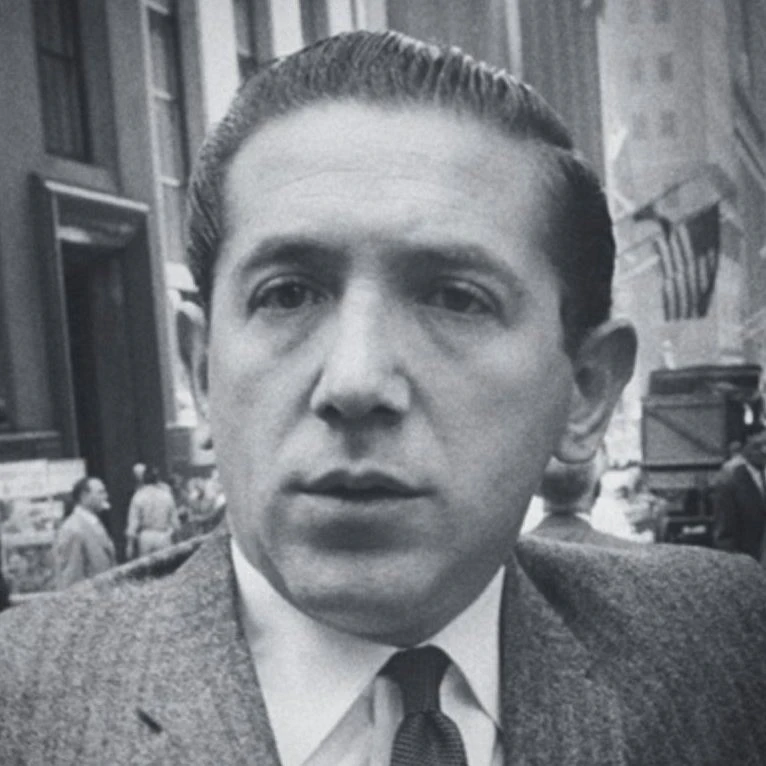
Nicolas Darvas — a professional dancer and trader who became famous thanks to his breakout trading strategy.
Using a simple box system, he turned $25,000 into more than $2,000,000.
His approach was based not on predictions, but on reacting to price movement.
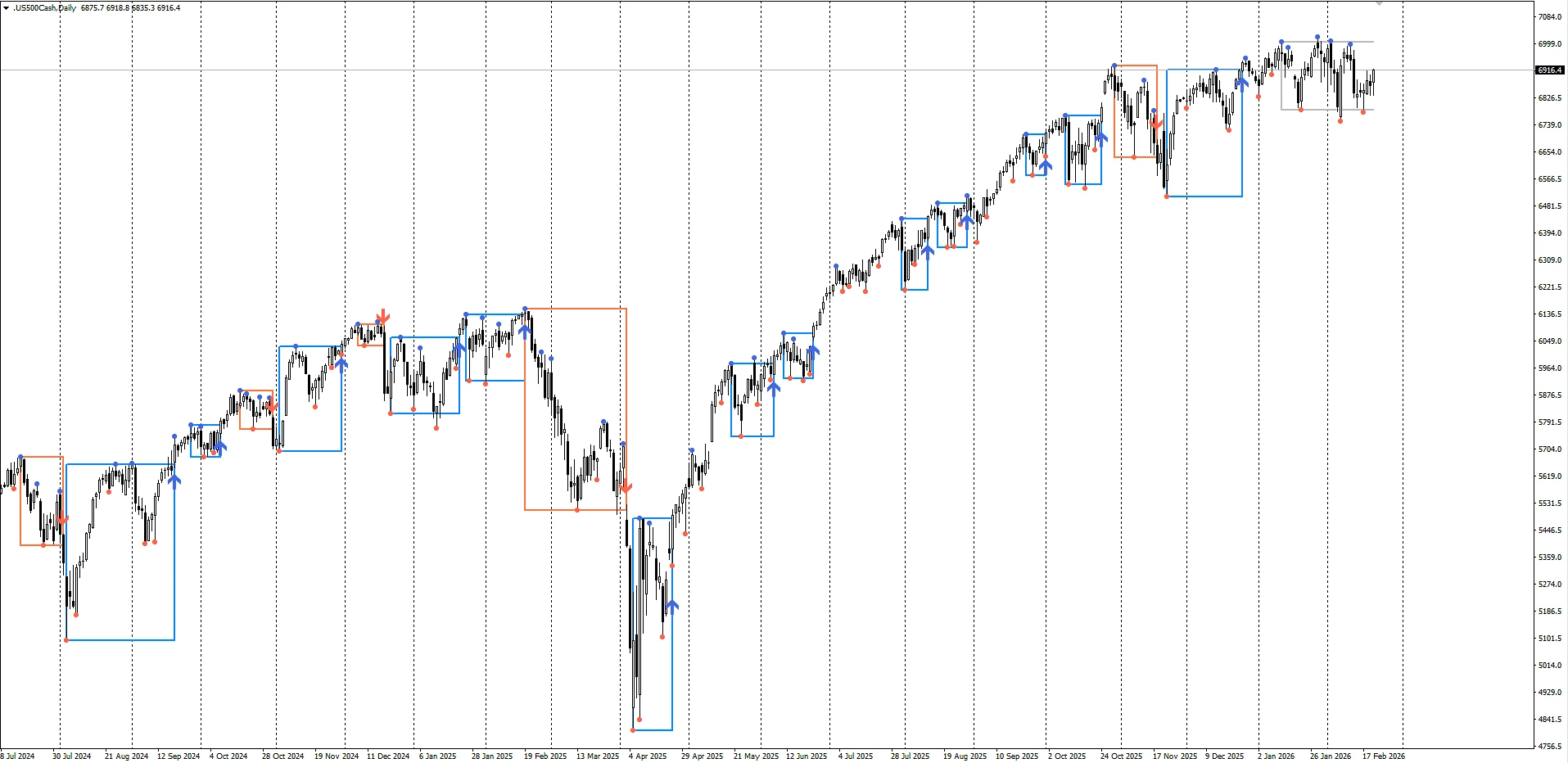
The indicator draws rectangles (boxes) within which the price moves in a range.
When the price breaks outside the box — it’s a signal that an impulse is starting.
Indicator settings
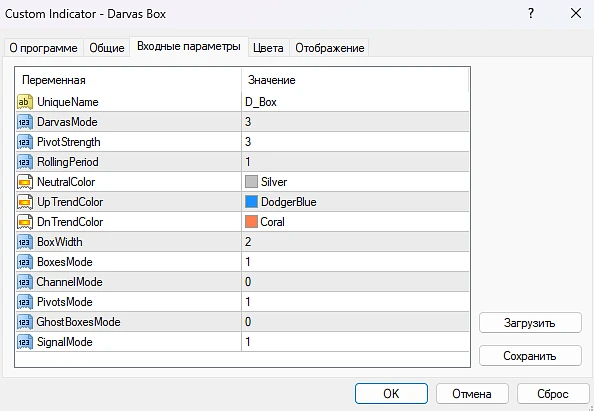
Main parameters:
-
Darvas Mode — the box construction type. It can range from 0 to 3. Values 0 or 2 are very similar — they will consider a breakout even when the boundary is merely touched. If it’s set to 1 or 3, then for the box to be fixed/confirmed, the candle must close outside the box.
-
Pivot Strength — the number of candles required to confirm the pivot point on which the Darvas Box is built. The higher the value, the less often new boxes are formed.
- NeutralTrendColor — the color of the currently forming box.
-
UpTrendColor — the box color indicating that the indicator suggests potential future price growth. It’s better to trade in Buy.
-
DnTrendColor — the box color indicating that the indicator suggests potential future price decline. It’s better to trade in Sell.
-
BoxWidth — the thickness of the box borders. The higher the value, the thicker the borders. If you set a large value, the box may turn into a cloud.
- BoxesMode — can be 0 or 1. If 0, the box will not be displayed. If 1, the box will be displayed.
- ChannelMode — can be 0 or 1. If 0, the dynamic channel is not displayed. If 1, it will be displayed and will have the form of dynamic continuous boundaries.
- PivotMode — can be 0 or 1. If 0, the extremes are not displayed. If 1, they will be displayed as dots.
- GhostBoxesMode — can be 0 or 1. This is a mode in Darvas Box that shows preliminary (not yet confirmed) boxes.
- SignalMode — can be 0 or 1. It displays signals as arrows. Up arrow — buy. Up arrow — sell.
How to trade
Let’s look at an example with Gold ( XAUUSD )
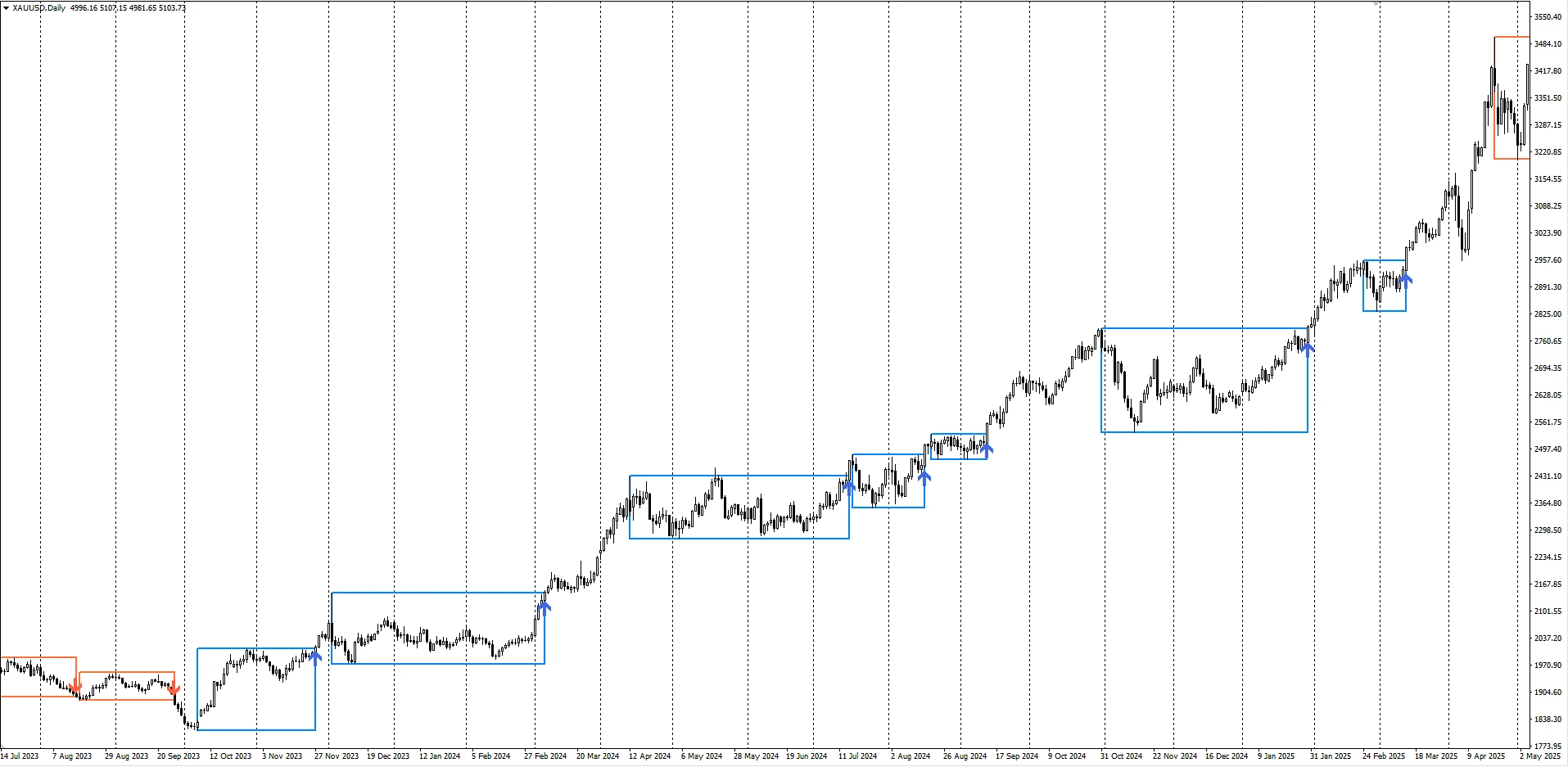
- You can open Buy and Sell trades if the price closes above/below the range, and you can enter at the open of the next candle. The stop loss should be placed beyond the range boundaries, and the take profit can be set at the size of 3 stop losses so that the risk-to-reward ratio is 1:3. Alternatively, you can set a trailing stop equal to the stop-loss size so that if the price moves in our favor, the stop loss follows the price.
Which markets it suits
This strategy is more intended for trending markets such as:
-
Forex (USD- and JPY-dependent pairs)
-
Gold
-
Indices
-
Cryptocurrencies
Because it’s precisely these assets that predominantly have trends. And breaking out of ranges is inherently a trend-following approach, since the goal is to trade the continuation of the move.